Preschool Math for Windows – Interactive Math Activities for Preschool Children
Math exercises for Preschool
Interactive math exercises that help preschool children understand basic concepts such as counting, addition, and subtraction in a simple and pleasant way.
✔ Free lessons for Preschool
✔ Practice with images and objects
✔ Adaptation to the child’s level
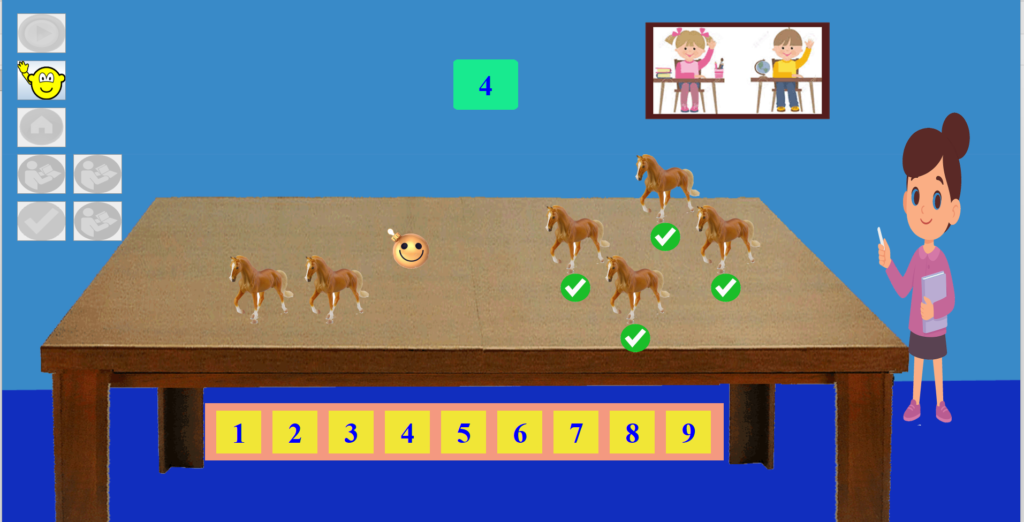
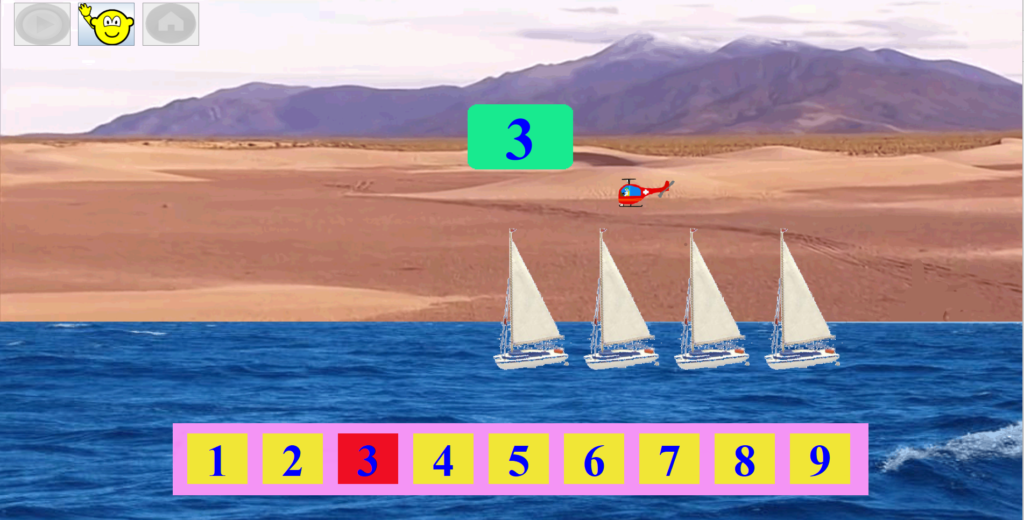
Counting and number matching activity using objects in the FirstMaths software.
Counting (Numeracy)
In the first stage, emphasis is placed on counting. Children learn to count by clicking on each object, in order to connect the number with the quantity. If a child has difficulty learning all the digits, they can choose to work with a smaller number of items , for example 3 to 6 items.
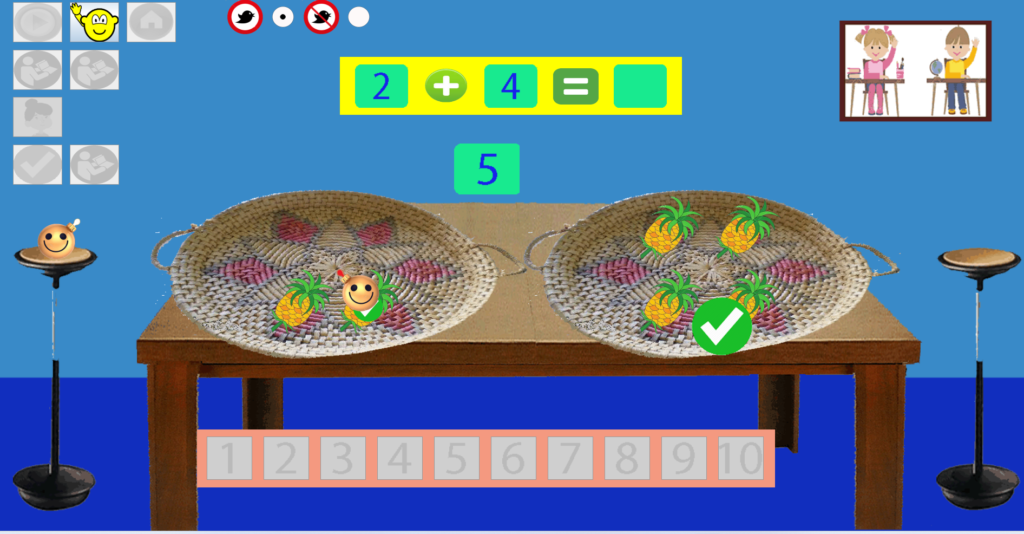
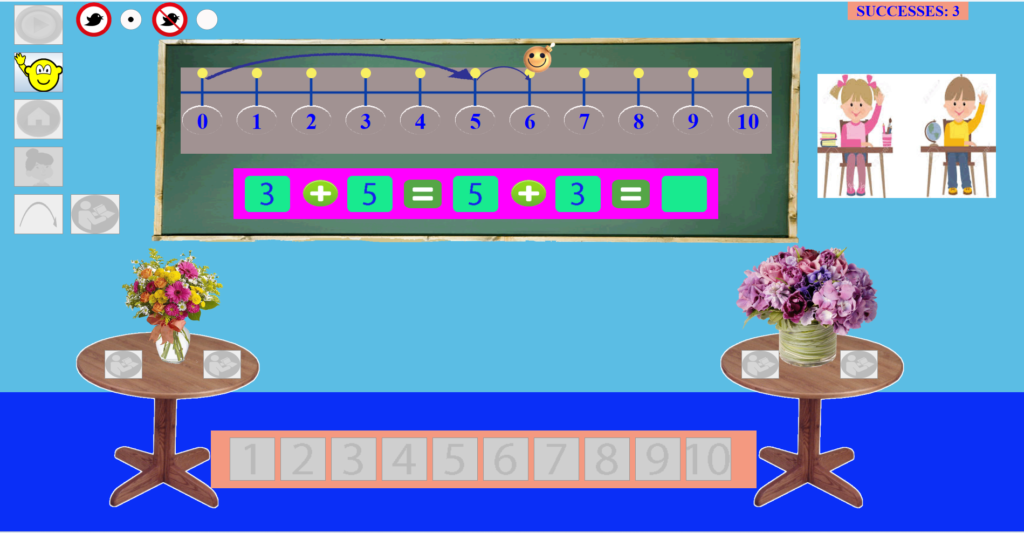
FirstMaths addition screenshots. The child learns the importance of starting the calculation from the larger number.
Addition and Subtraction
Learning is done through the use of objects, such as fruits, as well as with the number line. Children learn to solve operations such as: 3 + 5 by following the correct procedure: first they say the larger number and then they move as many steps as the second number indicates.
Level adjustment
The program provides the option to choose a range of results.
For example, operations can be limited so that the result is up to a small number of rezults (for example the rezult of addition be 5 to 8, see screenshot below), helping children to progress gradually.
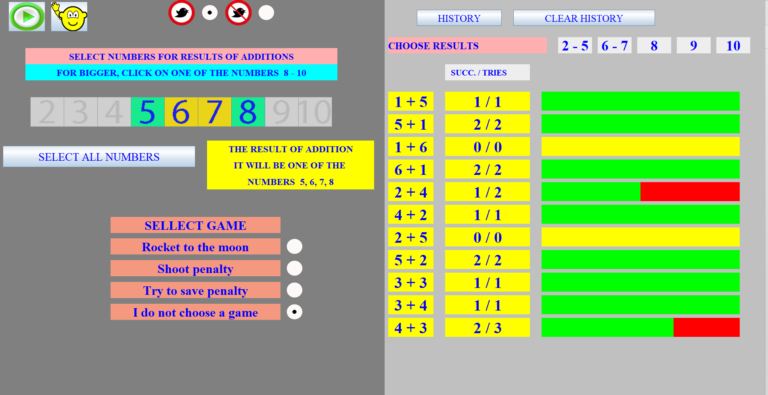
Progress tracking dashboard: View success rates and performance for each math operation.
Progress monitoring
The program records the child’s progress and helps parents and teachers identify the points where there are difficulties. At the same time, the software automatically adjusts the exercises, giving more emphasis to:
concepts that have not been practiced enough
exercises where the child makes mistakes
In this way, learning becomes more effective and targeted. This function is applied to all lesson levels.
Technical Specifications (Windows Software)
Maths4U (FirstMaths) is a desktop application designed for Windows (PC/Laptop).
Installation: Use requires downloading a .zip file and installing the software on your computer, without requesting any personal data or information.
Cost: Preschool and 1st Grade editions are provided free of charge.